


It's the 64 million dollar question…
How do you keep homeschool records?
I used to have a wonderful, time consuming system that involved writing everything down with a good ol-fashioned ink pen. It worked for many years. Before my oldest child reached middle school age, I had all three of the older children in the same Sonlight core and the preschooler/ kindergartner just tagged along with them. That all changed when I let the two oldest children loose with Sonlight Core G (then called 6), World History.
For a couple of years I struggled with how to keep track of the school work they were doing on their own. Every system we tried failed miserably. When Judah was getting ready to start high school, I panicked. How on earth was I going to make certain that I had good records? I had already tried having him keep his own records. There was no way that we could continue that– I would end up with no records!
I decided to give Homeschool Tracker a try. I read all the features and compared the free version with the paid version. They totally won me over. I sprung for the Plus version!

It has been a life saver for me! It has been the best investment ever!
It's amazing that my older ones couldn't remember to write what they had finished on a piece of paper for me, but they will readily and consistently check it off when it's on the computer!
The laptop that we use for Homeschool Tracker is in the living room right by the sitting area. Having it so central helps them remember to check things off, but it also makes it easier for everyone to go look at it to find their next assignment.
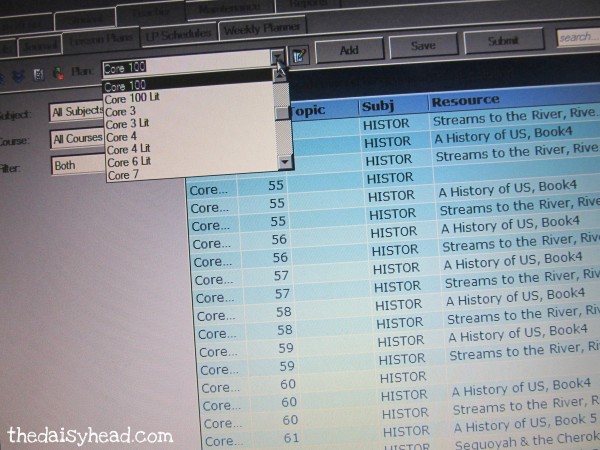
It was a little more work for me on the front end, but I ended up using the lesson plan feature for most of our assignments. I created a lesson plan for each of our Sonlight cores (one for the History portion and one for the literature), and then I can re-use the lessons with each child as they get to that core. More work now = less work in the long run. That's what I like!
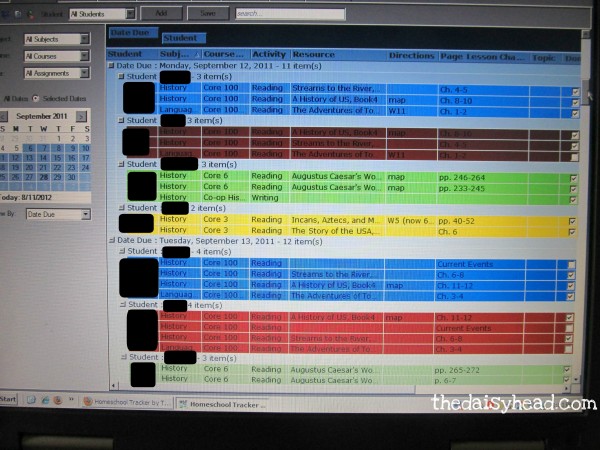
Then I just assign each lesson to the child that is using that Core. They only have to look at the assignment grid for that day to see what they need to work on for the day. I can then sort the grid by child or by each child's subject to see what they have finished up for that day or week… or that month… or how much they have done all year.
It will keep track of grades for me, too. That is, if I decide to give a grade for that subject. It automatically keeps attendance for me. I love that I don't have to think about it! It will even create a transcript for me. Yep, you heard right. A transcript!
The best part?
My teens will actually use it, and I will actually have records.
How does record keeping happen at your house? Have you found the perfect system for your family?
~~~~~~~~~~~~~~~~~~~~~~~~~~~~~~~~~~~~~~~~~~~~~~~~~~~~~~~~~~~~
If you'd like to be sure that you don't miss a post here at The daisyhead, subscribe here, and I'll send it straight to your inbox! And I'd love it if you'd join the conversation on Facebook and Twitter!
Disclosure: These are my affiliate links. It won't cost you any extra if you click through them to shop. I do earn a very small percentage of your sales~ sort of like the hostess at a Pampered Chef party. It helps keep the dasyhead running and my children in school books~ so thank you.
I was checking out Homeschool Tracker yesterday and didn’t see a free option. $60/year online or $49 offline. Am I missing something?
They still have it, but it took me a while to find it. It’s not very obvious anymore! I found the link at the bottom of the page about the Homeschool Tracker Plus features. Here’s the link: http://www.homeschooltracker.com/tracker_basic.aspx
If you decide to purchase a different edition at some point, I would love it if you would come back here and then click on my Homeschool Tracker link to purchase. (It gives me referral credit.) 🙂
Thank you soooo much! If I like it and decide to upgrade I will DEFINITELY give you the referal credit!